Your LinkedIn contacts, in your pocket
Recruiting runs on people you can actually reach. LinkedIn is where you meet them, but when you're away from your desk and need to call someone, their number is buried in a profile, a spreadsheet or an old email. The free knowhash extension now has Deck: the people who matter, saved from LinkedIn in one click and on your phone, with the best way to reach each of them.
Add to Deck from any profile
On a profile, click Add to Deck. knowhash reads what LinkedIn's Contact info already shows you (for your connections, that's often an email and a phone number) and fills in the card. Add a comment, note how they like to be reached, and save. It's one person at a time, by your choice: Deck isn't a bulk export of your network.
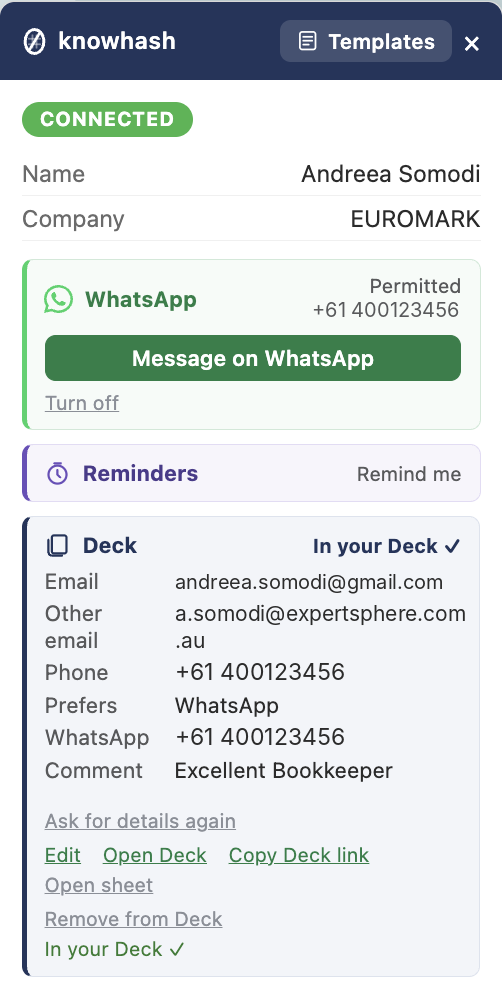
The Deck card on their profile: what you know, and how they like to be reached.
Open it on your phone
Your Deck opens in any browser, phone included. Each person has Call, Text, Email, WhatsApp and LinkedIn buttons, and the way they prefer to be contacted is highlighted. Reminders you set in knowhash show there too.
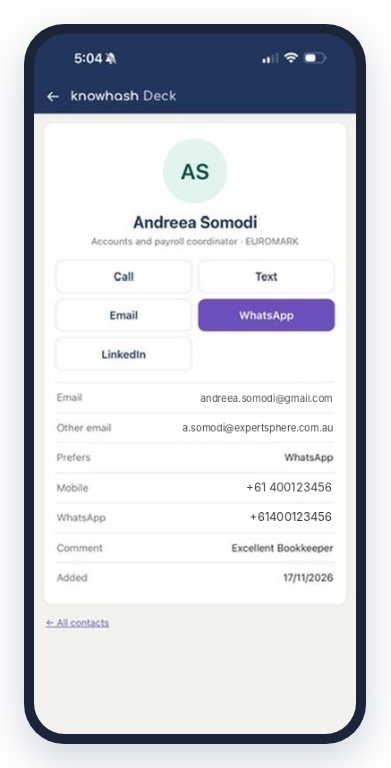
One tap to call, text, email or WhatsApp. Their preferred way is highlighted.
Missing details? Ask
Not everyone shows an email or mobile on LinkedIn. Ask creates a secure link and puts it in your LinkedIn message, ready for you to send. They see who's asking and exactly what for. They share only what they're happy to (email, mobile, WhatsApp number, the best way to reach them) or press No thanks.
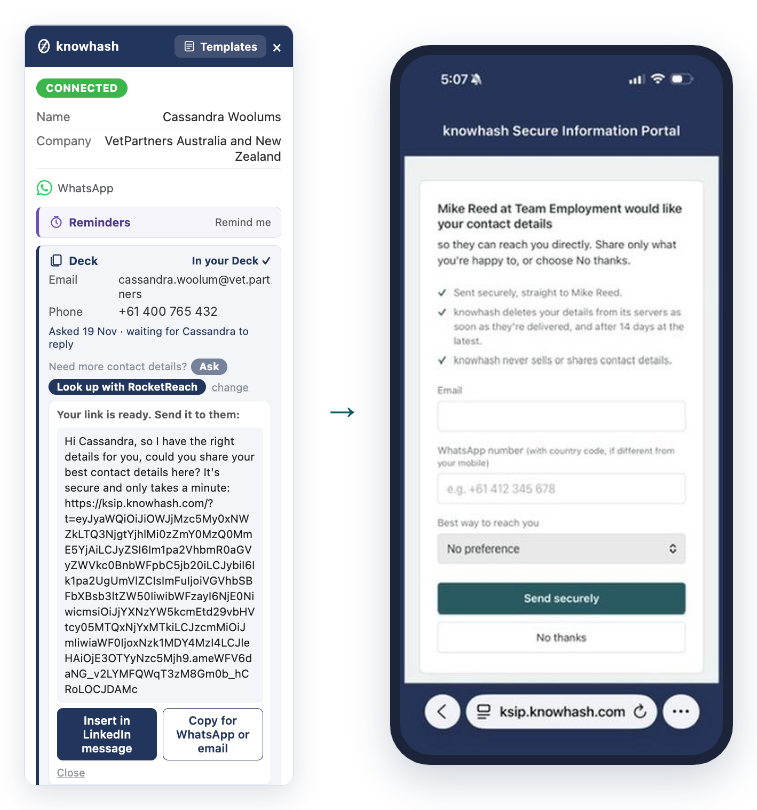
The link goes in your message. They choose what to share, or say no thanks.
Their answer comes back by itself. knowhash checks in the background while Chrome is open, so it lands on their card and in your Deck even if you've moved on to something else. If they share a WhatsApp number, WhatsApp is set up for them too, with no extra step. You get 20 Ask requests a month, free.
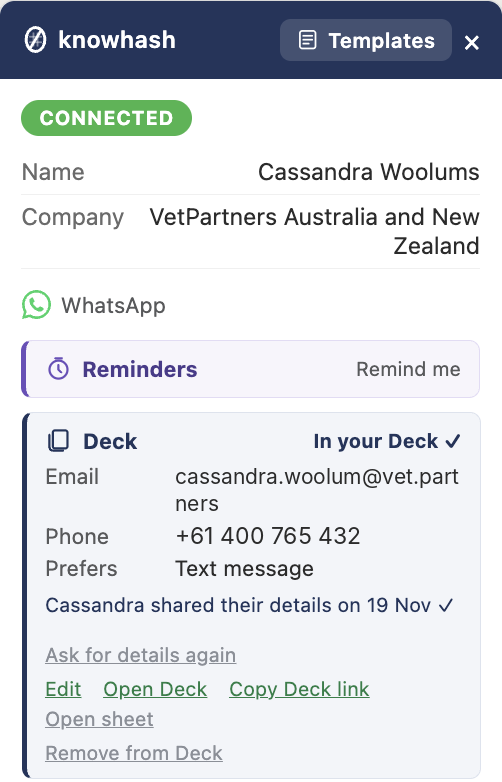
Their answer, on the card and in your Deck.
Already pay for contact data?
If you have an account with RocketReach, Anymail Finder or ContactOut, connect your own key and look people up from the card. knowhash doesn't buy or sell contact data, and it doesn't charge for this.
Your data, in your own Google Sheet
Setting up Deck takes one Google sign-in. knowhash creates a sheet in your own Google Drive, and it can only touch the sheets it created. Your Deck is that sheet: open it any time, or connect it to your CRM or ATS with Zapier, Make or Power Automate. There's still no knowhash account, and knowhash still never sends anything for you.
A couple of honest notes: Ask answers are collected while Chrome is running, so if your computer was off, they arrive a few moments after you start Chrome. Answers wait on our server for up to 14 days and are deleted as soon as they're delivered.
Deck is in knowhash (free) version 0.9.4. Chrome updates extensions automatically. New here? Search knowhash in the Chrome Web Store, or get knowhash.