knowhash now does WhatsApp and follow-up reminders
Recruiters live in two places: LinkedIn, where the conversations start, and WhatsApp, where — for much of the world — they actually happen. Until now, getting from one to the other meant copying numbers, switching apps and hoping you remembered to follow up. The free knowhash extension now handles all of it, right on the person's profile.
WhatsApp, the respectful way
knowhash never messages anyone on WhatsApp who hasn't said yes. One click puts a friendly ask into your LinkedIn message: would WhatsApp be easier? When they reply with their number, knowhash spots it and offers to save it — you confirm with one click.
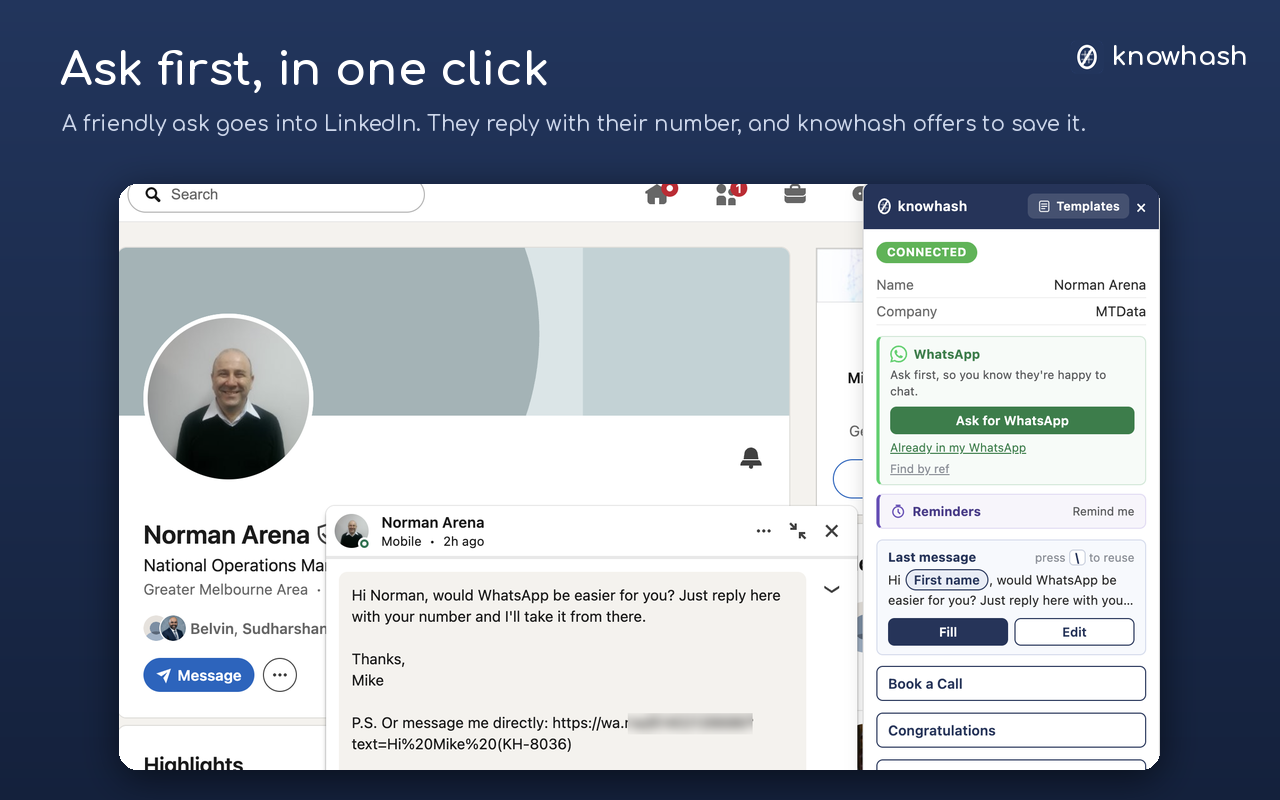
One click puts the ask in. They reply with their number; knowhash offers to save it.
From then on, the WhatsApp box on their card opens your own WhatsApp with your message ready. You press Send. Always. Your templates work there too: press / for any template, \ to reuse your last WhatsApp message, and put anything that changes in [square brackets] to fill it in as you go.
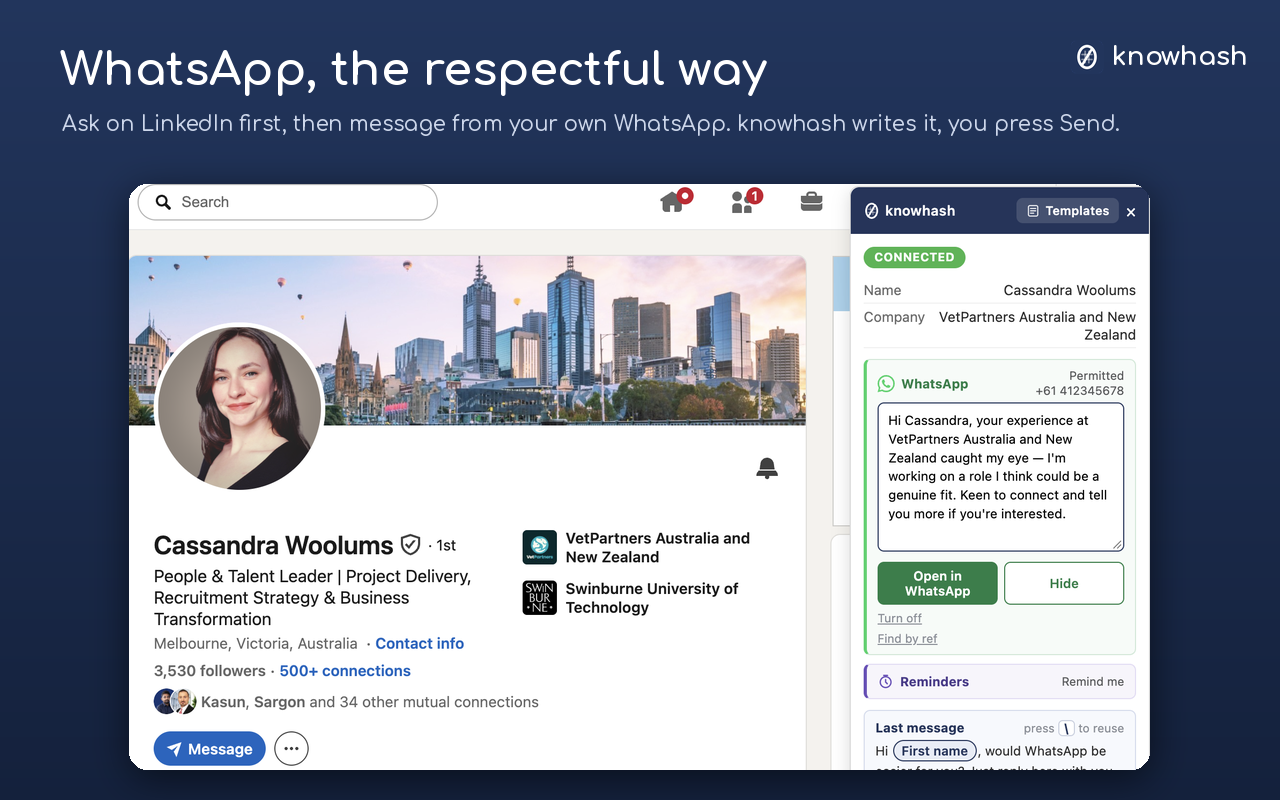
The message is ready in the WhatsApp box. Open in WhatsApp, then you press Send.
Never miss a follow-up
Set a reminder on anyone's profile in one click — tomorrow, 3 days, a week, or an exact time — with a note and a template to follow up with. When it's due, knowhash alerts you and opens the person with your message ready, on LinkedIn or WhatsApp. After you send a message, knowhash even asks: remind me to follow up?
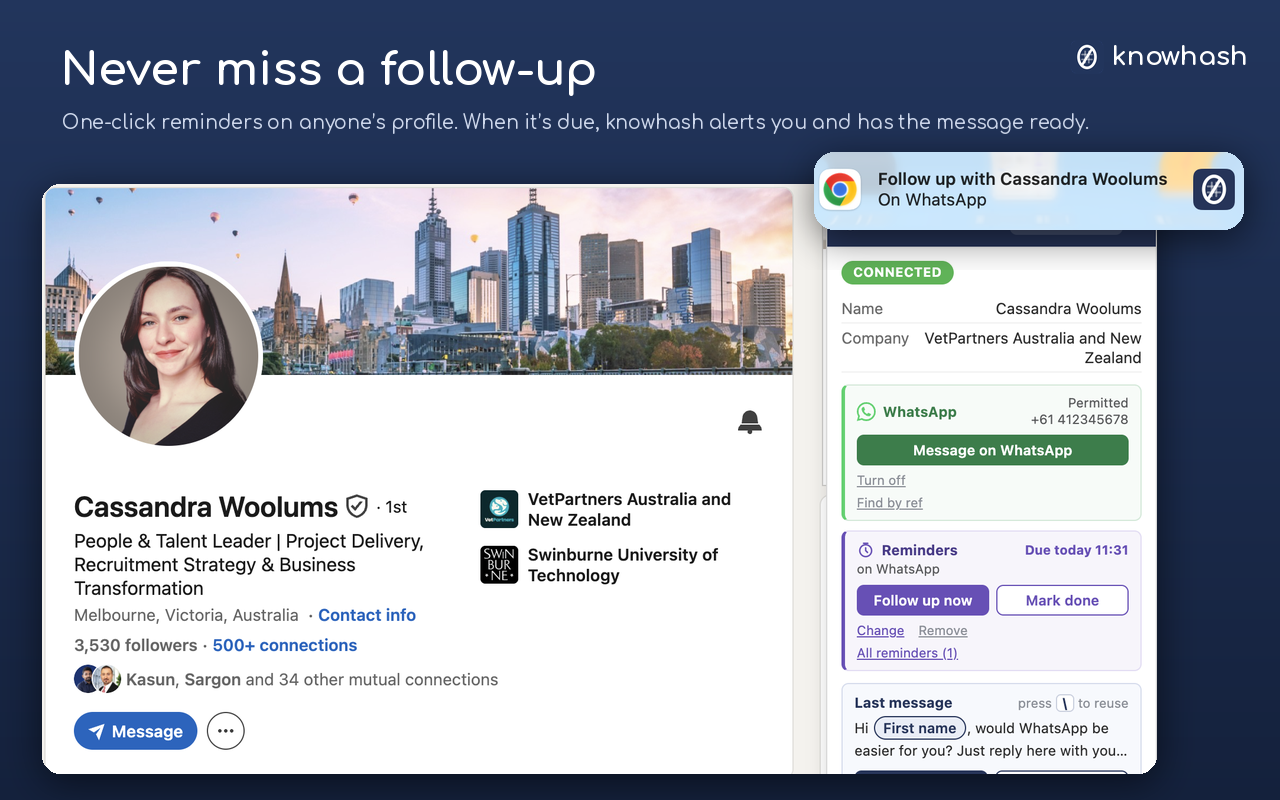
When it's due: a desktop alert, and the person's card with Follow up now.
All your reminders sit in one list — overdue, today and upcoming — with open, done and snooze a click away.
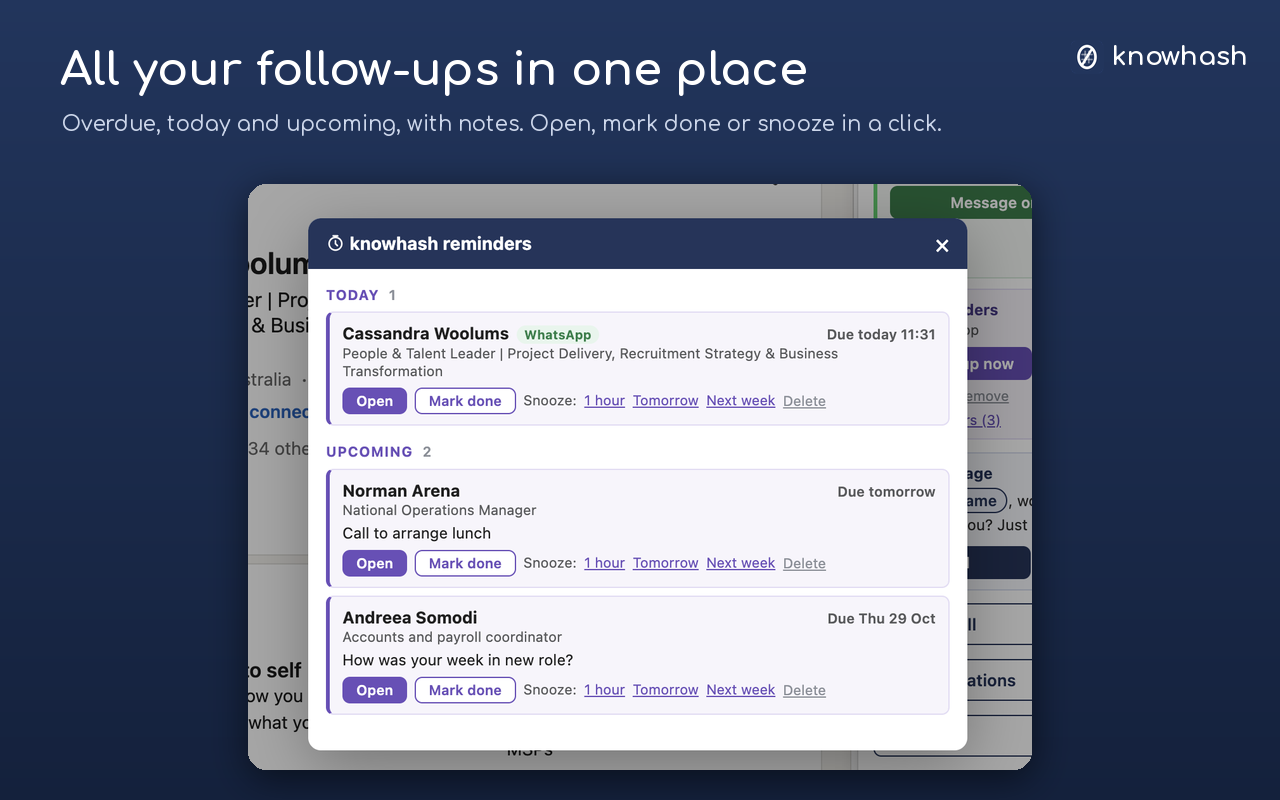
A couple of honest notes: alerts appear while Chrome is open; if Chrome was closed, they show the moment you open it. And if you don't see desktop alerts, your computer needs to allow Chrome notifications — on a Mac, System Settings → Notifications → Google Chrome; on Windows, Settings → System → Notifications.
Still free, still private
No account, no server. Your templates, reminders and WhatsApp numbers stay in your own browser, and knowhash never sends anything for you.
WhatsApp and reminders are in knowhash (free) version 0.8.0. Chrome updates extensions automatically. New here? Search knowhash in the Chrome Web Store, or get knowhash.